Oh no! Where's the JavaScript?
Your Web browser does not have JavaScript enabled or does not support JavaScript. Please enable JavaScript on your Web browser to properly view this Web site, or upgrade to a Web browser that does support JavaScript.
Sign In
Not a member yet? Click here to register.
Forgot Password?
Navigation

Multilanguage is not working on my site.

Last updated on 3 years ago
D
DadoNewbie
Posted 3 years ago
I don't know where the problem was, but i fixed it. I thought the problem would be in the image itself and I was partly true. I downloaded images (Slovak.png and Slovak-s.png) from FTP to computer but they wouldn't open in my computer. So I tried to fix/edit them in Photoshop. Photoshop gave me the following message: „PNG file corrupted by ASCII conversion“. I created in Photoshop new, custom images Slovak.png and Slovak-s.png and I uploaded them to the server. These images could be opened on the computer, but still did not work on the server.
I finally solved the problem by renaming the image Slovak-s.png to Slovak-small.png and editing theme.php with new photo name.

echo '<img class="m-r-5" src="'.BASEDIR.'locale/'.$language_folder.'/'.$language_folder.'-small.png" alt="'.$language_folder.'"/> ';


Now it works.
D
DadoNewbie
Posted 4 years ago
The browser displays an error : The image "https://*****.sk/locale/Slovak/Slovak-s.png" cannot be displayed because it contains errors.
F
FalkSuper Admin
Posted 4 years ago
Right-click on the image and get some info of what it is named and from where it tries to load, and you will see what you need to do.
Edited by Falk on 18-12-2022 23:40, 4 years ago
D
DadoNewbie
Posted 4 years ago
I have already solved the problem with the missing texts. I compared the English translation with the Slovak one and found out that they have different markings. While in the English markings there are only numbers, in the Slovak translation there is admins_ before the numerical markings. So I did a simple thing. In the Slovak version of the translation, I simply deleted admins_ in front of each translation and it works. I am attaching a screenshot as an example.

i.ibb.co/0Y8HS8k/EN-SK-locale-problem.jpg


But now I'm struggling with another problem. It does not show the Slovak flag on the page when switching languages. The image does not load. As if it wasn't even uploaded. But he is on FTP. But the site has a problem reading it.

... and excuse my unprofessional expressions. I'm not a programmer.
Edited by Dado on 17-12-2022 23:23, 4 years ago
C
ChanSuper Admin
Posted 4 years ago
Where did you get the language packs?

Have a look at this page: https://github.com/PHPFusion/locales

There are 2 versions of the version 9.
A
ApisJunior Member
Posted 4 years ago
I used another solution which is quite effective. I created a new panel with the following content:
<div id="google_translate_element" align="center"></div>
<script>
   function googleTranslateElementInit() {   
   new google.translate.TranslateElement({pageLanguage: 'pl', layout: google.translate.TranslateElement.InlineLayout.SIMPLE, includedLanguages: 'en,de,cs,sk,pl'}, 'google_translate_element');
   }
</script>
<script src="https://translate.google.com/translate_a/element.js?cb=googleTranslateElementInit"></script>

I made the panel visible on all pages. You can also include the code in your theme.

Of course, you need to enter the default language (pageLanguage) of the page and the languages ​​that are to be offered (includedLanguages: 'en,de,cs,sk,pl') in the code.
Edited by Apis on 11-12-2022 09:55, 4 years ago
D
DadoNewbie
Posted 4 years ago
I have all these languages activated.
A
ApisJunior Member
Posted 4 years ago
In the Admin Panel->Settings->Language settings, you must enable the languages ​​that are to be available. Not enabled, they don't work.
D
DadoNewbie
Posted 4 years ago
Thanks for your reply and help, but the multilingual still doesn't work. I tried to download other languages, but they don't work either. Any other ideas?

iili.io/HCUzK5x.png
F
FalkSuper Admin
Posted 4 years ago
See https://translate.phpfusion.com/ , you are missing some translation in the lang pack.
D
DadoNewbie
Posted 4 years ago
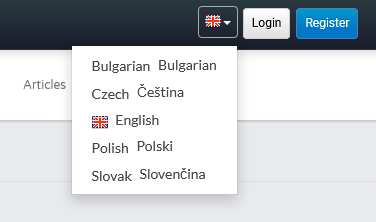
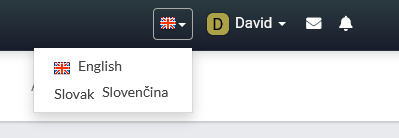
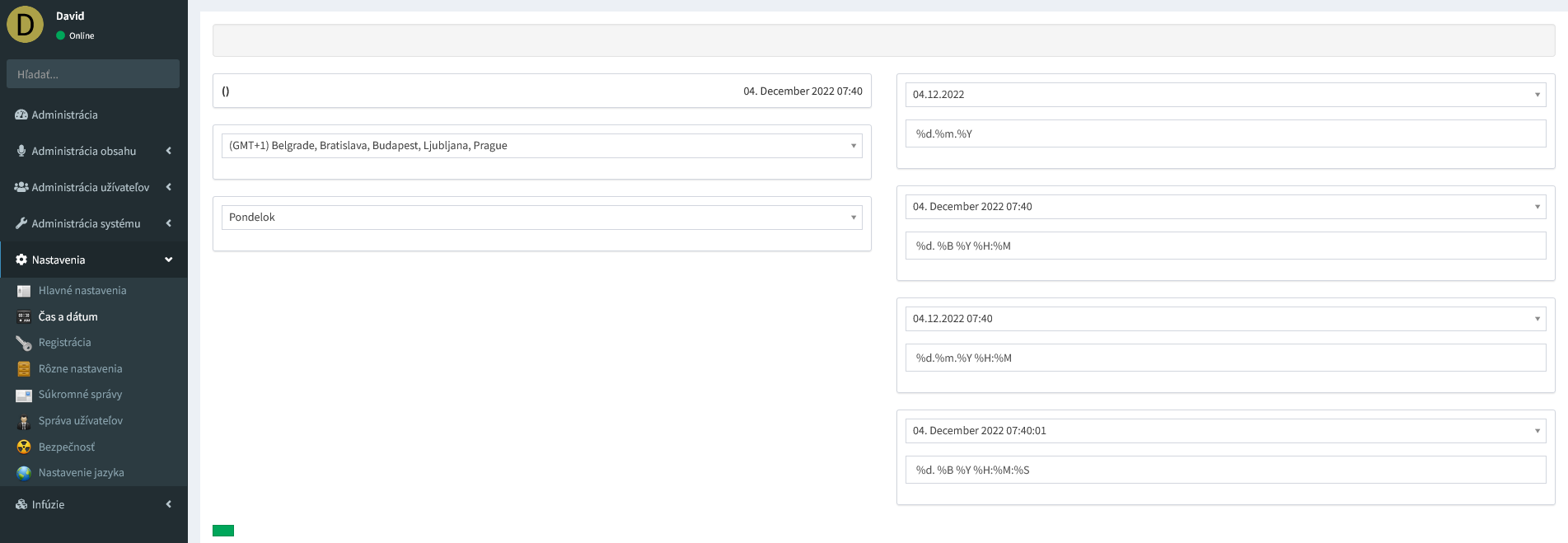
Hello. I need help. I'm having a problem with the multilanguages on my website. I don't know why.I don't know since when. But exept the English language, no other language works correctly for me . It's hard to explain, so I'm sending screenshots of my problem.


iili.io/HBrEhjR.png

The page has a problem displaying the flag icon.


iili.io/HBrENCN.png

...and in the administration, complete translations of the texts are missing

Could someone give me advice?
Edited by Dado on 04-12-2022 09:12, 4 years ago
You can view all discussion threads in this forum.
You cannot start a new discussion thread in this forum.
You cannot reply in this discussion thread.
You cannot start on a poll in this forum.
You cannot upload attachments in this forum.
You can download attachments in this forum.
You cannot up or down-vote on the post in this discussion thread.
You cannot set up a bounty in this discussion thread.
Moderator: Support Team
Users who participated in discussion: Falk, Chan, Apis, Dado